

5 Key Processes: What is Prepress in Printing?
By Shenzhen Topwon Group Co.,Ltd
Jul 08, 2026
Printing, just as its name tells us, is a skill that copies words, drawings, photos and other original pictures in large numbers. Workers make printing plates, spread ink and press materials. These steps move ink onto paper, cloth, leather and other surfaces.
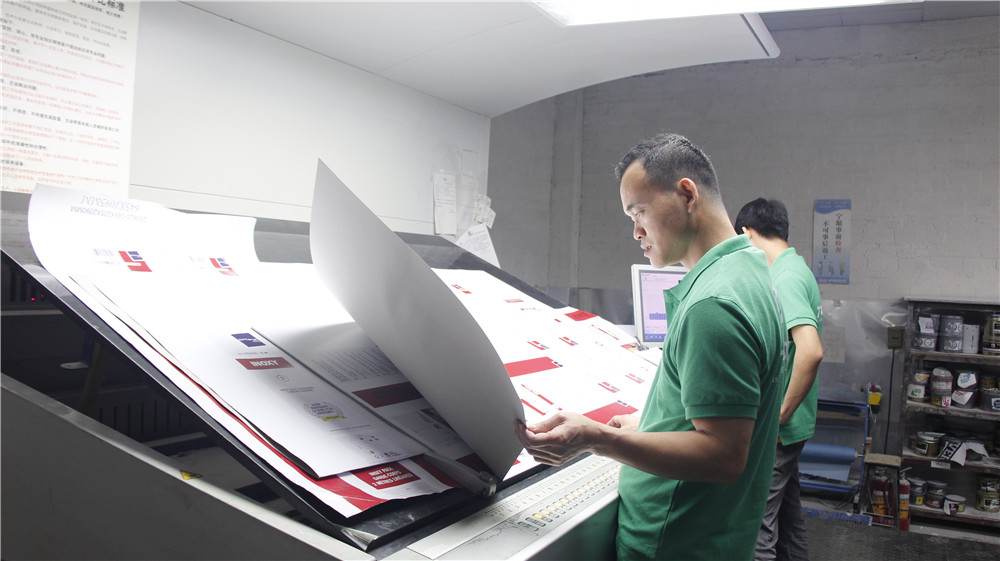
Generally speaking, printing has three main steps: pre-print work, printing itself, and post-print finishing. This article mainly talks about pre-print work today.
Pre-print work includes all tasks before machines start formal printing. It covers every step before words and pictures get printed on paper or other printing materials. It has four clear stages: original artwork → plate making → film output → test printing.
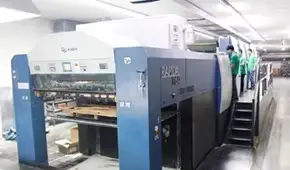
First, let’s look at the old way of making printing plates. Writers prepare text. Artists draw pictures. Layout workers put words and pictures together on pages. Typesetters make test drafts following layout plans. Workers collect all test drafts and drawings, then combine them into full pages. People take photos of these finished pages to make films that record all page content. These films create printing plates. This finishes all old plate-making steps.
If people finish all these old plate-making steps on one personal computer, this process is called desktop publishing, or digital pre-print work. It works differently from traditional plate making. Digital pre-print work includes five key parts below:
1. Typing and arranging electronic files
Creators type words into computers and send digital files to editors. Editors fix the content and send finished articles to layout designers through digital tools to make page layouts. Artists draw all kinds of pictures straight on computers. They can also use flat or roller scanners to copy customers’ original works into computers, then send these digital pictures to layout designers.
2. Key rules for picture-text design and color control
Designers use professional software like PS or CorelDraw to create and edit words and images. They rewrite text, move photos or change photo shapes during this process. People must match colors well across different machines, so color control is very important here. A spectrophotometer tests colors accurately and in large amounts. It works with samples of different sizes, shapes, textures and transparency levels.
3. Self-check list before making printing film
Check all these points before exporting finished files to make film:
- Check if file sizes and page settings are correct, and confirm enough blank extra edges (bleed). Standard bleed size is 3 to 5 millimeters.
- Check if overprint settings for words and pictures are correct and understand their uses. This setting is named Overprint in CorelDraw and Trap on Apple computers. Two special colors printed without extra outlines do not need overprint. Overprint is required if thick outer lines are added.
- Check fill colors of words and pictures. Avoid RGB color mode. Printers use CMYK when mixing multiple colors together. Remove all wrong color modes.
- Check file formats used between different design apps (common formats: TIF and EPS) and image resolution. Files with 175 screen lines usually use 300 to 350 resolution.
- Check alignment cross lines on every file.
- Tell the difference between four-color printing and special color printing.
- Check colors used for tiny words and thin lines. Printing rules allow no more than three mixed colors.
- For files with linked pictures and text, check all links, picture positions, overprint settings and saved file formats.
4. Page confirmation and file film output steps
After workers approve the combined page layout, they send digital files to output centers. Special photo machines print high-definition film for printing.
5. Types and uses of test printing
Test printing is the last pre-print step. It has three common types: machine test printing, simple toner test printing, and digital test printing.
Workers use test prints to check two main things. First, they check if colors and light-dark levels match the original artwork, and fix wrong sizes, misplaced words, missing pictures or alignment lines. Second, test prints provide sample pages and basic printing rules like ink shade and dot range. These standards make printing regular and consistent, and show customers what the final printed products look like.
To sum up, pre-print work cannot be skipped in the whole printing process. It has two important jobs.
First, every small step in pre-print work connects closely. It turns creative designs into mass-printing ready tools as fast as possible.
Second, pre-print planning solves all possible problems during printing and post-print work. It keeps the same look and quality as the original artwork, no matter how many copies machines print on different devices.
Thus, perfect pre-print work is the most important first step to make good printed products.
Related Posts
How to Make a Display Stand from Cardboard
How to make a cardboard book display stand
Previous Article
How Store Display Visible to Passers-by Improve Foot Traffic and Reduce Retail Marketing Costs
Next Article
Core Values and Comprehensive Advantages of Floor Display Companies in Offline Retail

Trusted by These Featured Clients